
Built for coding agents
Agents use your real tasks over MCP instead of guessing from a README. They only run what you trust, and each run is kept with the session that started it.
Claude Code·Codex·Cursor

Mochi · Beta
Point Mochi at any directory. It finds what you can run, gives you one place to run it, and remembers what happened.
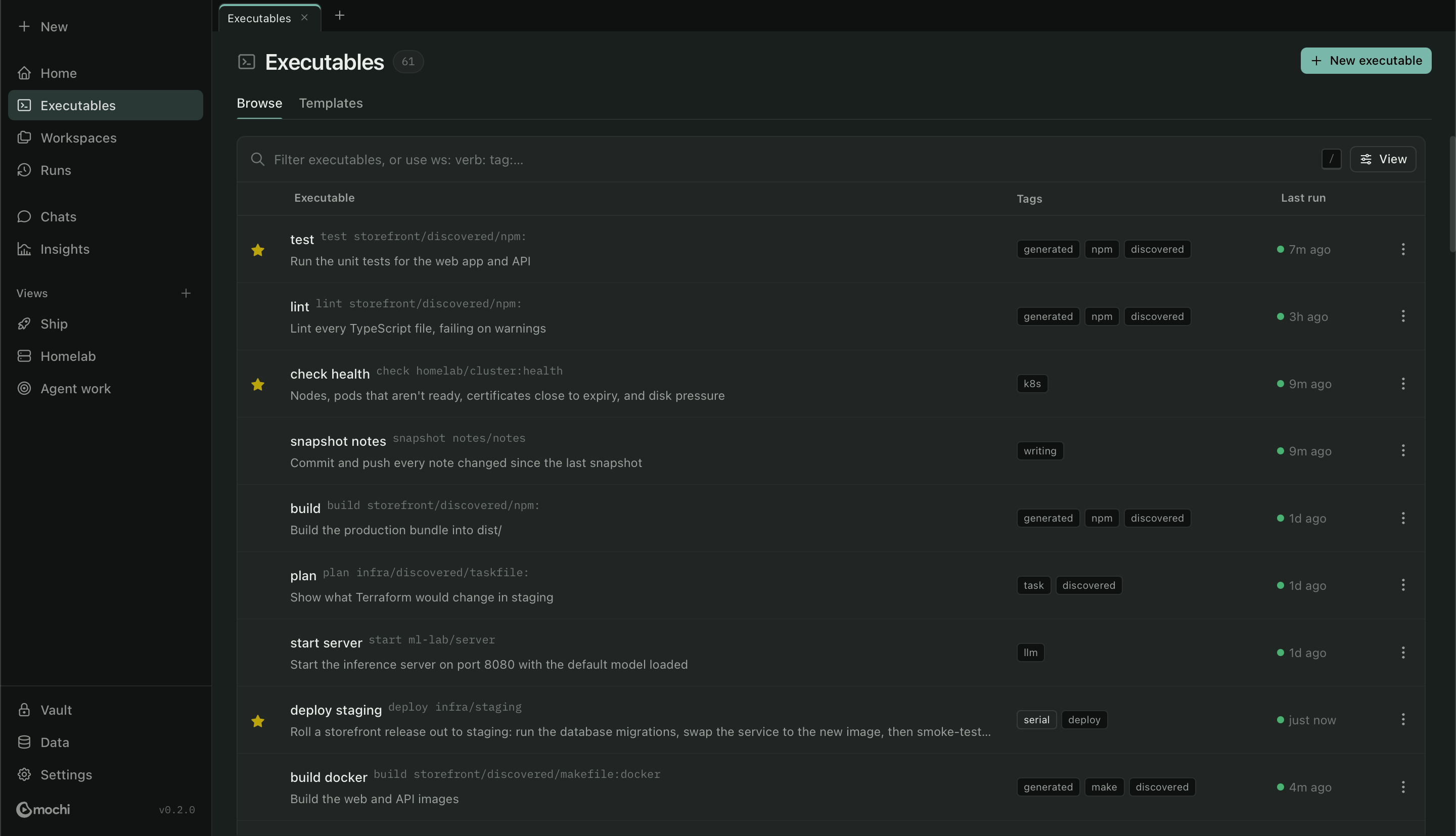
Your existing tasks, ready to run.
Point Mochi at a folder or a Git repo. It reads the Makefiles, npm scripts, Justfiles, Taskfiles, Compose files and scripts already there and lists every task in one searchable place. Nothing to port, and nothing written into your repo.
Read the guide →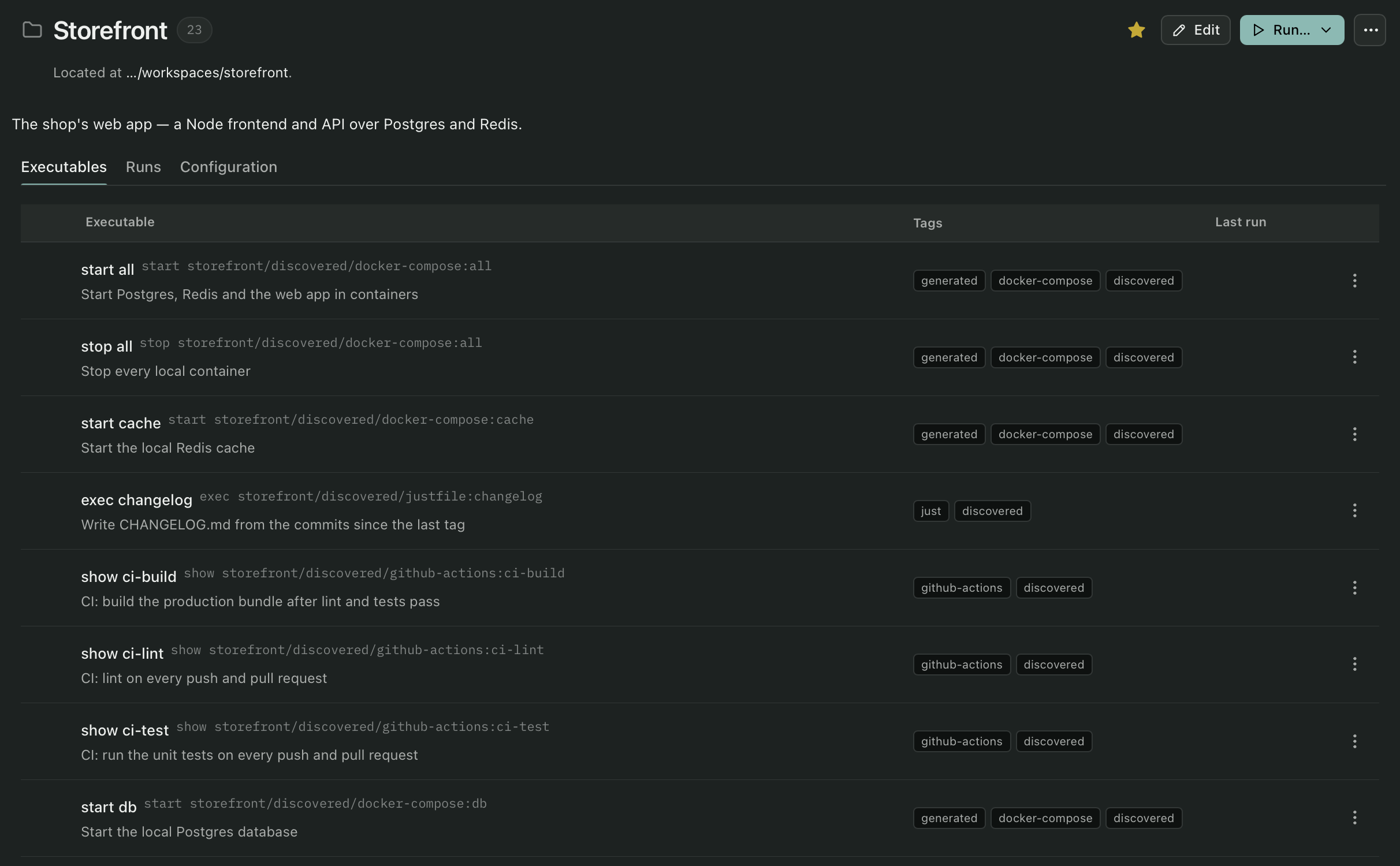
A desktop app and a CLI that agree.
Run from a native app with a command palette, tabs and live output, or type mochi in a terminal. Both read the same files and share one history.
Read the guide →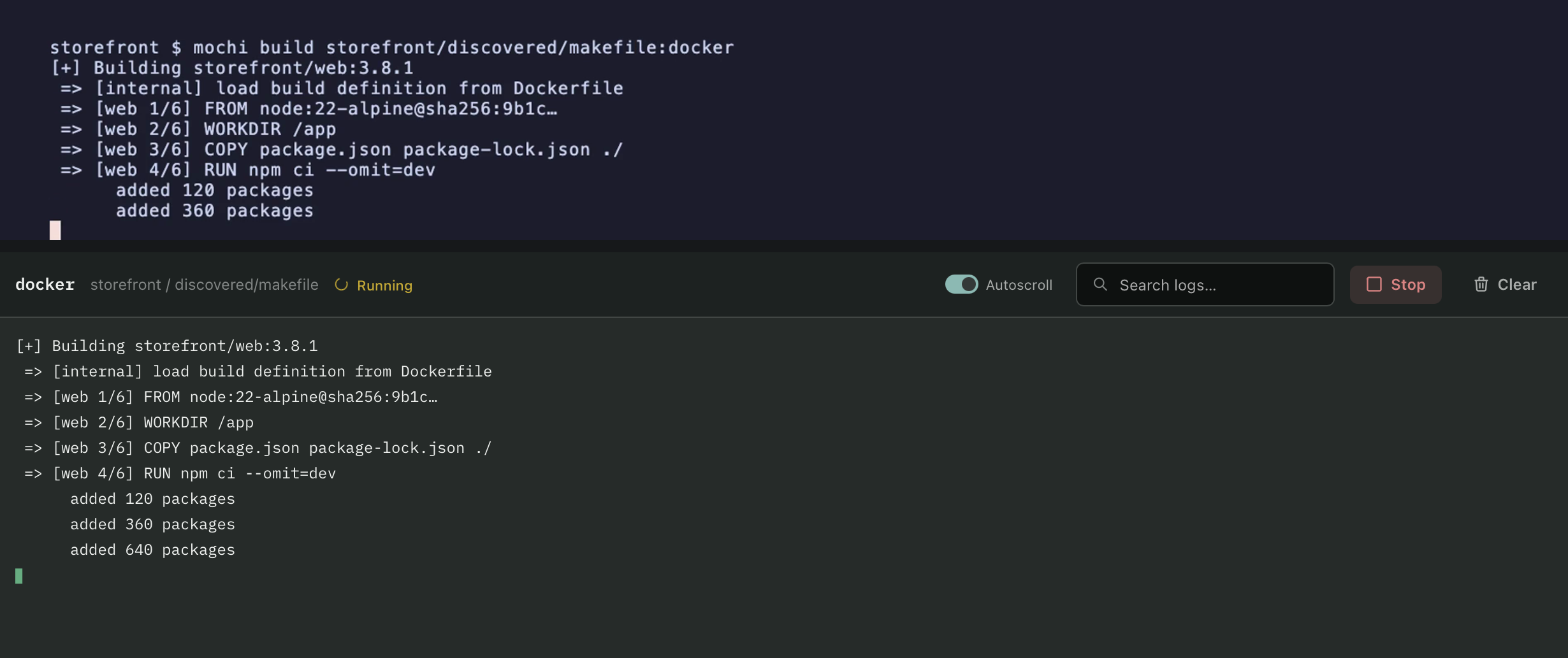
A record of everything that ran.
Every run is kept, including the ones your coding agents start: what ran, who started it, how long it took, and the full output. When a run fails, Mochi reads the log and tells you why.
Read the guide →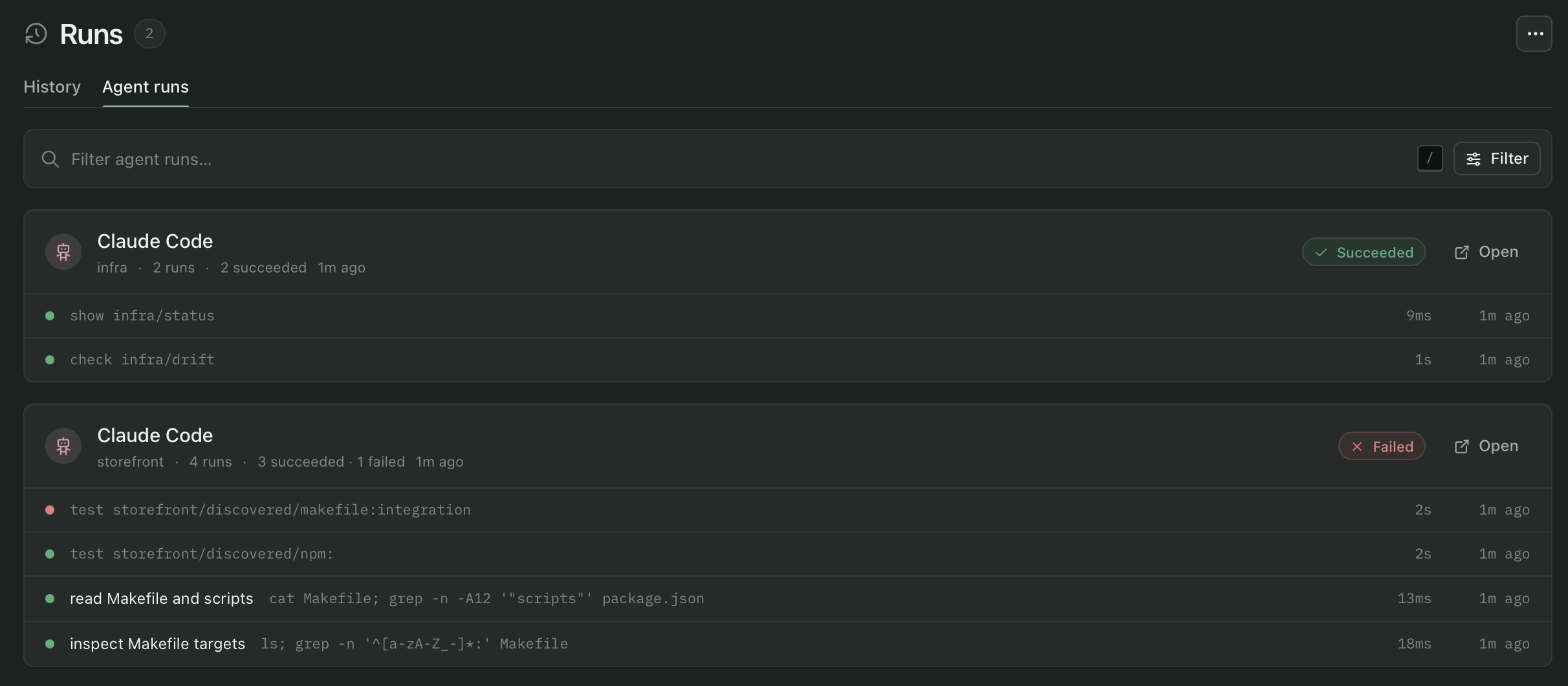
Agents use your real tasks over MCP instead of guessing from a README. They only run what you trust, and each run is kept with the session that started it.
Claude Code·Codex·Cursor
When your agents work on a dev box or a cloud VM, the desktop app shows what they ran there: each run, the agent behind it, and how it ended.
over SSH·read-only·failure alerts
Dashboards you build yourself: a release checklist, the services you own, or every deploy task across your projects.
tasks·runs·favorites
Your commands, logs and secrets stay on your machine. AI is optional: use Mochi's managed AI, your own key, or a local model. See what is sent.
no account·email for the trial·telemetry opt-in
The desktop app and CLI with every update, and Mochi's managed AI included. Cancel after a year and you keep the versions you had.
or $96 a year·every update·10,000 AI credits a month
Pay once and keep it. Every version from your year of updates works for good. Use AI with your own key or a local model, or add credits for $5.
a year of updates·$25 per extra year·your own AI key
Prices in US dollars. Try everything free for 7 days, no card needed, and buy a license when you're ready.
Install it, point it at a project, and see what it finds. No card needed.